InsightsMeta Ads B2B strategy
Meta Ads Strategy for B2B: Generating Quality Leads on Facebook & Instagram
Why B2B campaigns on Facebook and Instagram fail, and the audiences, lead forms, CRM tracking and retargeting that produce qualified leads instead.
26 March 2026Updated 28 September 202616 min readEdited by Michael Wilkins
Direct answer
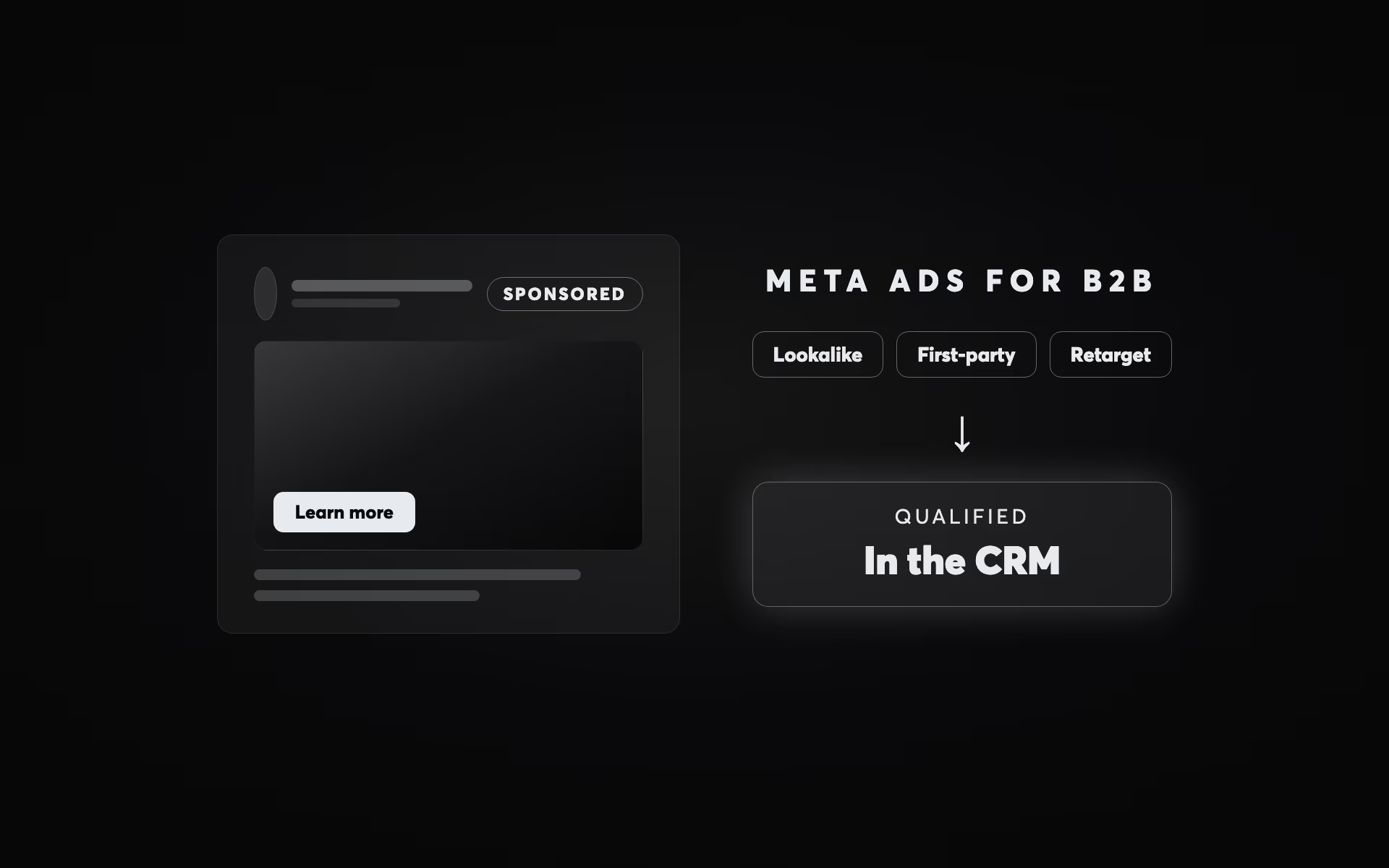
Meta works for B2B lead generation when the audience is built from your own data, the offer suits someone who has never heard of you, and leads are judged in your CRM rather than in Ads Manager. Build prospecting from customer-list lookalikes and website visitors; Meta now treats interest and job-title targeting as a suggestion by default. Use instant forms for low-commitment offers and landing pages where lead quality matters, and test the two with the same offer. Send CRM stages back through the Conversions API so delivery learns which leads become customers, and keep retargeting on audiences you define. In rhipe's programme recruiting IT resellers and managed service providers as Microsoft partners, Facebook lead-generation ads produced 1,063 partner leads across eight markets in a single calendar year.
The usual view is that Facebook and Instagram are consumer channels, wrong for software, professional services or business finance. But the practice managers, IT directors and business owners who sign those contracts use Meta too. What usually fails is the build: consumer-style targeting, an offer that asks a stranger for a meeting, and success measured by the cost of a form fill.
This guide covers what works instead, drawing on three Meta lead generation programmes we have run. It is written for advertisers in Australia and New Zealand, where some of the standard US advice does not apply.
Why B2B campaigns on Meta fail
- Interest-only targeting. Interests like “Business management” or “Entrepreneurship” collect business owners, students, journalists and anyone who once liked a business page. The audience is broad, low-intent and expensive to turn into qualified leads.
- A meeting request to cold traffic. Someone seeing your ad for the first time has no reason to trust you yet. Asking them to book a call is a high-friction request from a zero-trust start, and the channel gets blamed for a problem in the offer.
- No retargeting. Business purchases take weeks or months. Prospecting without retargeting pays for attention and then lets it go.
- Optimising for form fills. Meta's delivery system finds more people like the ones who convert. If your form fills include job seekers, students and tyre-kickers, it will find more of them.
- Browser-only tracking. Since Apple's App Tracking Transparency arrived with iOS 14.5 in 2021, and as browsers and ad blockers restrict tracking, the Meta pixel on its own misses conversions. Delivery then learns from an incomplete picture of who converts.
Three Meta lead generation programmes, and what they show
Clinic to Cloud sells cloud practice management software to Australian specialists and GPs; the buyer is a practice principal or practice manager replacing a system they will live with for years. As the paid media partner alongside the agency of record, we ran Google Ads and Facebook from a standing start, with each channel given a job. Google carried high-intent search. Facebook prospected at scale through lead-generation ads, with the form itself treated as something to optimise: its field count was calibrated to balance lead volume against lead quality. Facebook remarketing handled the middle of the funnel. Across the programme, blended cost per lead fell 57.7% in the first four months, from A$227.27 to A$96.15, while monthly leads rose from 66 to 182 on a 17% budget increase. Facebook's cost per lead reached a floor of A$67.50 in the peak month.
rhipe, Microsoft's specialist cloud-licensing distributor in Asia Pacific, needed IT services businesses, managed service providers and resellers to sign up as Microsoft Cloud Solution Provider partners: a small, specialised B2B audience. Facebook lead-generation ads carried its South East Asian market entry and produced 1,063 partner leads across eight markets in a single calendar year, including 159 in Australia. A Facebook campaign for the rhipe SEA Cloud Summit brought 109 registrations at A$18.36 each, a 5.11% conversion rate from 2,131 clicks on A$2,001 of media.
JB Markets is not a B2B business (it was acquiring retail and wholesale traders), but its campaign tested the format question directly. A gated ASX report was offered two ways, through a landing page and through Facebook lead-generation ads, and the two funnels were A/B tested against each other, alongside a Bitcoin Futures offer timed to CME's launch of the contract. Ads ran across Facebook, Google Display and remarketing. Leads cost A$40 in the first week against an A$50 target; as the testing data accumulated, cost per lead fell to A$20, 60% below target. Then the campaign had to be paused, because the sales team could not handle the volume.
All three pre-date Meta's Advantage+ automation, so read them for how the mechanics behaved (form design, channel roles, testing, sales capacity), not as a guide to today's costs.
What has changed on Meta
Much of the B2B advice still in circulation was written for an older Ads Manager. As of September 2026:
- Detailed targeting is a suggestion by default. Meta shows ads to people beyond your interests, job titles and behaviours when it expects better results. You can make them a hard limit, except when you optimise for link clicks, landing page views or website conversions, among others, where Advantage+ detailed targeting applies with no opt-out (Meta: use detailed targeting).
- Detailed-targeting exclusions have gone. To keep people out, exclude them as a custom audience (Meta: audience controls).
- Lookalikes have loosened. Their location now comes from the ad set, and Advantage+ lookalike is on by default for new ad sets, letting delivery go beyond the percentage you chose (Meta: Advantage+ lookalike).
- Leads campaigns lean on Advantage+. Meta's recommended setup switches it on for budget, audience and placements, and Meta says that in early testing this averaged 14% lower cost per lead and 10% lower cost per qualified lead than Advantage+ off (Meta: Advantage+ leads campaigns). That is Meta's figure, not a B2B benchmark.
- The Offline Conversions API was discontinued in May 2025. CRM and other offline events now go through the Conversions API (Meta: about Conversions API).
The common thread: targeting settings matter less, and the data you give Meta (customer lists, CRM stages, the ad itself) matters more.
Build audiences from your own data first
LinkedIn targets job title, company and seniority from professional profiles. Meta's job-title targeting rests on what people choose to put on a personal profile, so on Meta the dependable B2B audiences come from data you already hold.
Customer lists, segmented by stage
Upload your CRM as customer lists split by relationship: current customers (to exclude from prospecting and to seed lookalikes), open pipeline (to retarget with material for their stage), target accounts that have not engaged, and lost deals (to approach again when the contract they signed elsewhere comes up for renewal, if you know the date).
Meta matches your list against the details people have given it, usually a personal email address or mobile number rather than a work address, so work emails alone match poorly. Add mobile numbers, personal emails, names and country; the more identifiers you provide, the better the match rate (Meta: customer list audiences). Check first that your privacy policy covers sharing customer data with an advertising platform. Meta's terms require you to have the lawful right to share it; in Australia that means the Australian Privacy Principles, if they apply to your business, and in New Zealand the Privacy Act 2020.
Lookalikes from your best customers
Meta's own guidance is that a source made from your best customers may get better results than one that includes all of them (Meta: about lookalike audiences), and a customer file with a value column, such as annual contract value, can seed a value-based lookalike that leans towards your biggest accounts. A source needs at least 100 people, and Meta generally recommends 1,000 to 5,000 (Meta: create a lookalike audience). With fewer customers than that, use other engaged seeds: contact form completers, people who watched most of a video, or CRM contacts who reached a qualified stage. The percentage you choose is a share of the population in the ad set's location, not a multiple of your seed, which matters in New Zealand.
Job titles and interests
Job titles on Meta are self-declared, and Meta notes that its demographic options are not available in every country (Meta for Developers: targeting search), so check the audience size Meta shows for Australia or New Zealand before you plan around a title. With detailed targeting now a suggestion and interest exclusions gone, stacking interests to carve out a precise B2B segment no longer works the way older guides describe. Exclude customers, open pipeline and staff as custom audiences, and let the ad do the qualifying.
Advantage+ audience and the learning phase
Meta recommends A/B testing Advantage+ audience for almost every campaign type except retargeting (Meta: Advantage+ audience). For B2B the constraint is data. An ad set usually exits the learning phase after about 50 results in the week after its last significant edit (Meta: the learning phase), so one producing 15 leads a week is likely to show “Learning limited”. Run fewer, broader ad sets, because combining similar ad sets combines what the system learns. Test Advantage+ against your best manual prospecting at the same budget for about four weeks, judge the two on cost per qualified lead, and keep retargeting on audiences you define.
Instant forms or landing pages
Meta's instant forms (lead ads) keep people on Facebook or Instagram and can prefill their name, email and phone number from details they have already given Meta (Meta: lead ads with instant form). Landing pages send them to your site. The trade-off is volume against qualification.
In 2019 WordStream analysed its clients' Facebook lead generation: more than 3,000 campaigns and about US$9.5 million in spend over 60 days. Lead-ad campaigns converted more clicks into leads (12.54% against 10.47% for landing pages) but cost more per lead (US$17.98 against US$13.26). WordStream sells advertising software to businesses, and in its own account the landing-page campaigns converted more clicks into qualified leads and demo requests, at a significantly lower cost per quality lead. The prefill cuts both ways: a form that takes seconds also lets through people who were only half interested.
So compare the cost of a lead your sales team would want:
| Instant form | Landing page | |
|---|---|---|
| Cost per lead | A$40 | A$90 |
| Leads that qualify | 10% | 30% |
| Cost per qualified lead | A$400 | A$300 |
Illustrative model, not a benchmark. Run it on your own cost per lead and qualification rate.
When each one fits
Instant forms suit low-commitment offers with broad appeal: a guide, a checklist, a report (Meta lets people view a PDF straight from the form), a webinar or event registration. They work when you qualify afterwards by phone or email and leads flow straight into your CRM.
Landing pages suit offers where quality matters more than count: demos, consultations, discovery calls, anything high-ticket. The page can carry proof and a form with qualifying questions, and its visitors join your website retargeting audiences.
If you cannot decide, test both with the same offer, as JB Markets did, and judge them by what your sales team does with the leads, not by cost per form fill.
Make instant forms do some qualifying
- Choose the higher intent form type, which adds a review screen before submission; it runs only in the Facebook and Instagram mobile feeds (Meta: instant form types).
- Add one or two custom questions that separate buyers from browsers: company size, role, the system they use now, timeframe. Conditional logic can change the next question based on an answer.
- Treat the form as something to tune, as Clinic to Cloud did with its field count, not as a fixture.
Whichever you choose, answer fast
Harvard Business Review's 2011 research on the short life of online sales leads found most companies were far too slow to follow up enquiries from the web. Connect your forms to the CRM so leads arrive in seconds, not in a weekly download; Meta keeps instant form leads available for download for only 90 days (Meta: expired leads). And plan for success: JB Markets had to pause a campaign because leads arrived faster than its sales team could handle them.
Conversions API and CRM feedback
The Meta pixel reports conversions from the visitor's browser, which ad blockers, browser tracking protection and iOS privacy settings can stop. The Conversions API sends the same events from your server, website platform or CRM directly to Meta, and many setups need no developer. Run both, with deduplication on so an event reported twice counts once, and check Event Match Quality in Events Manager: Meta scores each event from 0 to 10 on how well its customer details match Meta accounts, and email address and click ID carry the most weight (Meta: event match quality).
For B2B the bigger prize is the CRM. A form fill is not the outcome you want; a qualified lead, an opportunity or a signed contract is. Send those stages back through the Conversions API and you can report on them, build audiences from them, and seed lookalikes with people who became customers rather than people who filled in a form.
If you use instant forms, Meta's conversion leads performance goal goes further and optimises delivery towards the leads that reach a CRM stage you choose. Meta's fit test (Conversions API for CRM integration, updated December 2025) asks for at least 200 leads a month, CRM updates at least daily, and a target stage that happens within 28 days of the lead and is reached by between 1% and 40% of leads. Store the Meta lead ID in your CRM from day one. Many B2B accounts fall short of 200 leads a month; they should still send the stages back, for reporting and audiences, and switch to conversion leads optimisation when volume allows.
Structure the account by funnel stage
| Stage | Audience | Offer | Judge it by |
|---|---|---|---|
| Prospecting | Lookalikes of your best customers, tested against Advantage+ audience; customers and open pipeline excluded | Problem-led video, an insight, a useful guide | Cost of reaching the right people; growth of your retargeting pools |
| Consideration | Video viewers, Page and Instagram engagers, website visitors, people who opened your instant form | Case studies, webinars, events, gated reports, often on an instant form | Cost per lead and the share of leads that qualify |
| Conversion | Pricing and service page visitors, recent content leads, open pipeline | Demo, consultation or proposal request | Cost per qualified lead and per opportunity, from the CRM |
| Re-engagement | Lost deals and stalled leads, uploaded from the CRM | What has changed since you last spoke; a smaller first step | Deals reopened |
Give each stage its own campaign so its results stay readable. As a starting point, put about half the budget into prospecting, about 30% into consideration and about 20% into conversion retargeting, with re-engagement coming out of the conversion share. The real limit is audience size: a retargeting pool of a few thousand people cannot absorb a fifth of a large budget without showing the same people the same ads day after day. Watch frequency in the retargeting campaigns and move money back to prospecting when it climbs, because prospecting is what refills the pools.
Use a campaign budget (Advantage+ campaign budget) for prospecting, where Meta can move spend between ad sets, and ad set budgets for retargeting, where you decide what each audience gets. Set targets from your own first months of qualified-lead data, not from published benchmarks built on other advertisers' accounts.
Retargeting windows for a B2B buying cycle
Split website visitors by how recently they came, as a starting point rather than a rule:
- 0 to 14 days: the hottest audience. Serve the direct offer, or a case study matched to the pages they read.
- 15 to 30 days: proof. Results from businesses like theirs, and how you work.
- 31 to 90 days: nurture. Useful content and a lower-commitment offer, such as a guide or webinar, that keeps you in view while they research.
- 91 to 180 days: reactivation with a fresh angle. Budgets, renewals and new hires change what a business needs.
Then match the message to the signal. Pricing page visitors are weighing cost: answer payback, with a real client number if you have one. Service page visitors are weighing fit: show a case study from a business like theirs. Blog readers are early: offer the next useful thing, not a sales call. People who opened your instant form were close: a lead form engagement audience, with your existing leads excluded, lets you go back with a simpler offer.
Two practical notes. Meta's help centre says a website custom audience built in Ads Manager starts filling from the day you create it (Meta: create a website custom audience), so build them before you need them. And in a small account these windows can be too thin to run separately; merge them until each ad set has enough people to deliver.
Creative that does the targeting
With more of the targeting handed to Meta, the ad does more of the qualifying: the right buyer should recognise themselves in it, and everyone else should scroll past. Four kinds of hook work for business buyers:
- A specific problem in their words: the month-end reconciliation that eats a Friday, the renewal that went to a competitor.
- Direct qualification: “If you run a practice with more than five specialists…” tells the right person the ad is for them, and the wrong person that it is not.
- A contrarian claim you can back up: “Your cheapest leads are probably your most expensive.”
- Peer proof: a real result from a business like theirs, with the number, the period and the channel stated exactly.
Video earns its place when it carries substance: a founder or senior practitioner talking plainly, a screen recording of the software doing the job, a client describing the result. Clean audio and a clear script matter more than production values.
Run a few genuinely different concepts per ad set rather than many near-copies; Meta's guidance is that high ad volumes spread what the system learns. Retargeting pools are small and see your ads more often, so they need new creative sooner. Refresh when frequency climbs and click-through falls, not on a fixed calendar.
Where Meta fits next to Google and LinkedIn
Google captures intent: people searching for what you sell are further along. LinkedIn targets job title, company and seniority from professional profiles, and you pay for that precision. Meta supplies cheaper reach, access to decision-makers outside work hours, and the retargeting and lookalike tools that keep a long consideration cycle warm. A sensible default is Google for intent capture, Meta for prospecting, retargeting and low-commitment offers, and LinkedIn for the accounts and job titles that justify its price. Clinic to Cloud's programme divided the work this way; our B2B SaaS lead generation guide sets out each channel's role in it.
Our Google Ads for B2B SaaS guide covers the intent-capture side of the equation.
Australia and New Zealand specifics
- Lookalikes are a share of the country. A 1% New Zealand lookalike is a small audience however good your seed is, and a 1% Australian one is several times bigger. In New Zealand, be ready to widen the percentage, or add Australia, if delivery stalls.
- Consider one ad set for both countries. If the offer and pricing are the same on both sides of the Tasman, running Australia and New Zealand together gives delivery more room to learn, and Ads Manager can still break results down by country. Split them when the offer, currency or sales team differs.
- Small audiences tire faster. A New Zealand retargeting pool can be saturated quickly, so watch frequency and refresh creative sooner.
- Some US targeting does not exist here. Household-income targeting, which US guides often recommend for reaching senior decision-makers, is based on US ZIP-code data and is not available for Australian or New Zealand audiences. Build seniority from your own lists instead.
- Financial services rules depend on where the ads run. In January 2025 Meta replaced its credit special ad category with a broader “Financial products and services” category. It is required for advertisers based in or targeting the US, and its audience limits (no lookalikes, age, gender or postcode targeting) apply to ads reaching the US, Canada and some European countries (Meta: special ad categories, checked September 2026). Australia and New Zealand are not on either list; check the page before each launch, because the scope has widened before.
Check your account
- Pixel and Conversions API both running, with deduplication, and Event Match Quality reviewed.
- Instant forms connected to the CRM, with the Meta lead ID stored against each lead.
- Pipeline stages (qualified, opportunity, won) sent back to Meta.
- Customer lists uploaded by stage; customers, open pipeline and staff excluded from prospecting.
- Lookalikes seeded from your best customers, not everyone.
- Website audiences split by page type and recency, and created before launch.
- Ad sets few and broad enough to exit the learning phase.
- At least one qualifying question on every instant form.
- A few genuinely different creative concepts per ad set, with proof in the conversion-stage ads.
- Leads followed up within hours, and cost tracked per qualified lead, not just per lead.
If you want another set of eyes on a Meta account, our paid social service covers Meta and LinkedIn, with conversions tracked in your CRM rather than taken from the platform's own reporting.
How Meta fits alongside search, content and email is set out in the eight steps of our Hyper-Growth Framework. For lead generation across every channel, see our guide to professional services lead generation.
Questions